Mobile Apps
Mobile App Prototype vs MVP vs Production App: Which Do You Need Next?
A stage-by-stage comparison for founders deciding what to build next, with what each deliverable proves, how to test it and when to move on.

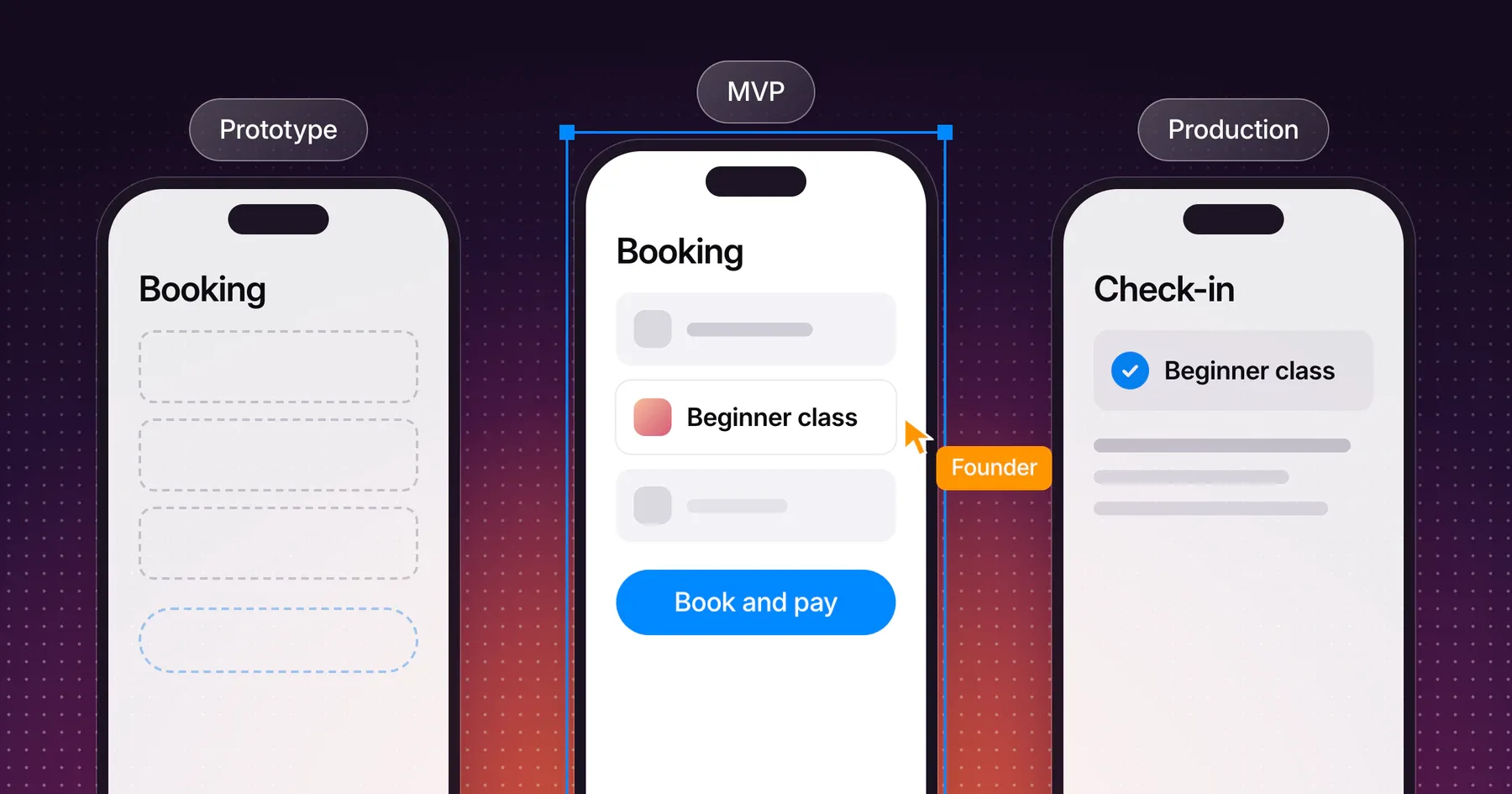
A mobile app prototype tests whether people understand a flow, an MVP tests whether people use the app for a real task, and a production app adds the reliability, store compliance and support that a public release needs. The right next deliverable is the one that answers your biggest open question for the least work.
This guide is for founders deciding what to build next. It compares the three stages side by side, explains what each one proves and what it cannot, and ends with a table that matches common open questions to the right deliverable. If you have not written down the app’s journey and first-version scope yet, start with the mobile app brief.
Compare the three stages side by side
A prototype, an MVP and a production app differ in who uses them, what they run on and what they prove. Compare them by the question each one answers, not by how finished they look.
| Attribute | Prototype | MVP | Production app |
|---|---|---|---|
| Question it answers | Do people understand the flow? | Do people use the app for the real task? | Can the app serve the public reliably? |
| What you receive | A clickable design, or a working demo of one behavior | A working app that completes the core journey with real data | A store-published app with monitoring, support and update process |
| Who uses it | Five or so test participants per round | Invited early users through TestFlight or a Google Play test track | Anyone who installs it from the App Store or Google Play |
| Data | Sample content | Real data from real use | Real data at public scale |
| How you test it | Moderated usability sessions | Usage of the core journey and direct feedback | Store review, crash reports, support requests and analytics |
| What it cannot prove | Demand, retention or willingness to pay | Reliability at public scale | Product-market fit on its own |
Each stage builds on the one before it. A team that skips a stage does not save its work. The team carries that stage’s open question into a more expensive one.
What a prototype can and cannot validate
A prototype validates comprehension: whether people find the next step, read the screens correctly and finish the journey without help. A prototype cannot validate demand, retention or performance, because nobody depends on it and it runs on sample data.
Mobile prototypes come in two kinds, and the brief should name which one it asks for:
- Clickable design prototype. Linked screens in a design tool. It tests the sequence of screens, labels, navigation and the moments people hesitate. It contains no application code.
- Working technical prototype. A small piece of real code that tests one behavior, such as a camera capture, a payment handoff or an integration with an existing system. It answers “can this work?” for one risky part and ignores the rest of the app.
Test a clickable prototype with small rounds. In Nielsen Norman Group’s analysis of why five users are enough, a study with five participants found about 85% of the usability problems, and Jakob Nielsen recommends three rounds of five users, with fixes in between, over one study of 15. When the app serves distinct groups, such as members and staff, the same article suggests three to four participants per group.
Stop prototyping when participants complete the core journey without help and the remaining questions are about real use. A sixth round of design changes cannot tell you whether people will come back next week.
What makes an MVP useful to real users
An MVP is useful when real people complete the core journey end to end, with real data, often enough to show whether the app earns a place in their routine. An MVP that only demonstrates screens is a prototype with a different name.
The Lean Startup describes an MVP as the way “to begin the process of learning as quickly as possible” (The Lean Startup principles). For a mobile app, that learning comes from use. Three conditions make it possible:
- The core journey works without workarounds. Every step from the brief completes, including the empty, loading and failure states people meet in real use.
- The right people can install it. TestFlight supports up to 100 internal testers and up to 10,000 external testers, with each build available for up to 90 days. Google Play’s internal testing reaches up to 100 testers, and closed and open tracks reach wider groups.
- The team knows what to watch. Decide before launch which actions show the app is working, such as a completed booking or a second visit, and how you will collect feedback.
Keep the MVP to the journey in the brief. Features from the Later list belong in the MVP only when early users show the journey fails without them.
What production readiness adds
A production app adds everything a public release needs beyond working features: store compliance, reliability on real devices, monitoring, support and a way to ship updates. These additions rarely change what people see, and they belong in the estimate from the start.
| Area | MVP | Production app |
|---|---|---|
| Store compliance | Test track rules and a review for the first external TestFlight build | Full App Review and Google Play policies, privacy policy, account deletion and the Data safety form |
| Devices | The team’s test devices | The agreed range of phones and OS versions |
| Reliability | Known issues are acceptable when testers know about them | Crash reporting, error handling and a fix process |
| Backend | Enough capacity for invited users | Capacity, backups and access control for public use |
| Support | Direct contact with testers | A support channel and someone who answers it |
| Updates | New test builds | A release process, version history and review time in the schedule |
| Ownership | Shared test accounts are workable | Developer accounts, source code and services owned by the business |
Plan review time into every release. Apple states that App Review typically reviews at least 50% of submissions in less than 24 hours and 90% in less than 48 hours, and incomplete submissions take longer. On Google Play, new personal developer accounts also need a closed test with at least 12 testers for 14 days before production access, which the mobile app brief covers with the other store rules that shape scope.
Choose the next deliverable for your uncertainty
Choose the deliverable that answers the question you are least sure about. Find your biggest open question in the left column and build what the middle column names.
| Your biggest open question | Build next | You are ready to move on when |
|---|---|---|
| Will people understand the flow? | Clickable design prototype | Five participants in a round complete the journey without help |
| Can one risky part work at all? | Working technical prototype | The behavior works on a real device with realistic data |
| Will people use the app for the real task? | MVP | Early users complete the core journey and come back to it |
| Can the app handle public use? | Production app | Store review passes and the support and monitoring routines run |
| Will the app pay for itself? | Production app with pricing in place | Real customers pay through the planned payment flow |
The climbing gym booking app from the mobile app brief shows the sequence. The gym tests a clickable prototype of the Book and pay step with five members, who each book a beginner class. A working technical prototype checks the connection to the gym’s booking system. An MVP goes to 40 invited members through TestFlight and an Android test track. The production app ships once the members book repeatedly and the front desk trusts the check-in. The gym and its numbers are fictional.
When two questions feel equally open, start with the cheaper deliverable. A clickable prototype that changes the journey also changes what the MVP needs to build.
Frequently asked questions
What is the difference between a prototype and an MVP?
A prototype tests whether people understand the flow, using sample content and no real use. An MVP is a working app that real people use for the core task with real data. A prototype proves comprehension, and an MVP proves use.
Can a prototype become the MVP?
A clickable design prototype cannot become the MVP, because it contains no application code, but it becomes the design the MVP is built from. A working technical prototype can become part of the MVP when it was built on the same technology and standards as the app.
How many people should test a mobile app prototype?
Five participants per round find most usability problems. Nielsen Norman Group recommends several small rounds of five, with fixes between them, and three to four participants per group when the app serves distinct groups.
Do I need a production app to launch on the App Store?
Yes. A public App Store or Google Play release has to meet the full review and policy requirements, including a privacy policy and in-app account deletion for apps with accounts. An MVP can reach early users through TestFlight or a Google Play test track before that.
How long does App Store review take?
Apple states that App Review typically reviews at least 50% of submissions in less than 24 hours and 90% in less than 48 hours. Incomplete submissions take longer, so prepare the demo account, privacy policy and review notes before submitting.
Discuss the right first version for your app
Bring your biggest open question and what you know about your users. Explore how Gestures approaches mobile app prototyping and development, and we can work out which deliverable answers that question first.
Working through a decision like this?
Bring your current product or website and we can discuss what needs attention.
Keep reading