
AI-Native Development
AI-Native Development: What Buyers Should Ask About the Process
A buyer's guide that separates an AI-native workflow from AI product features, with decision owners, review evidence and questions to ask a studio.

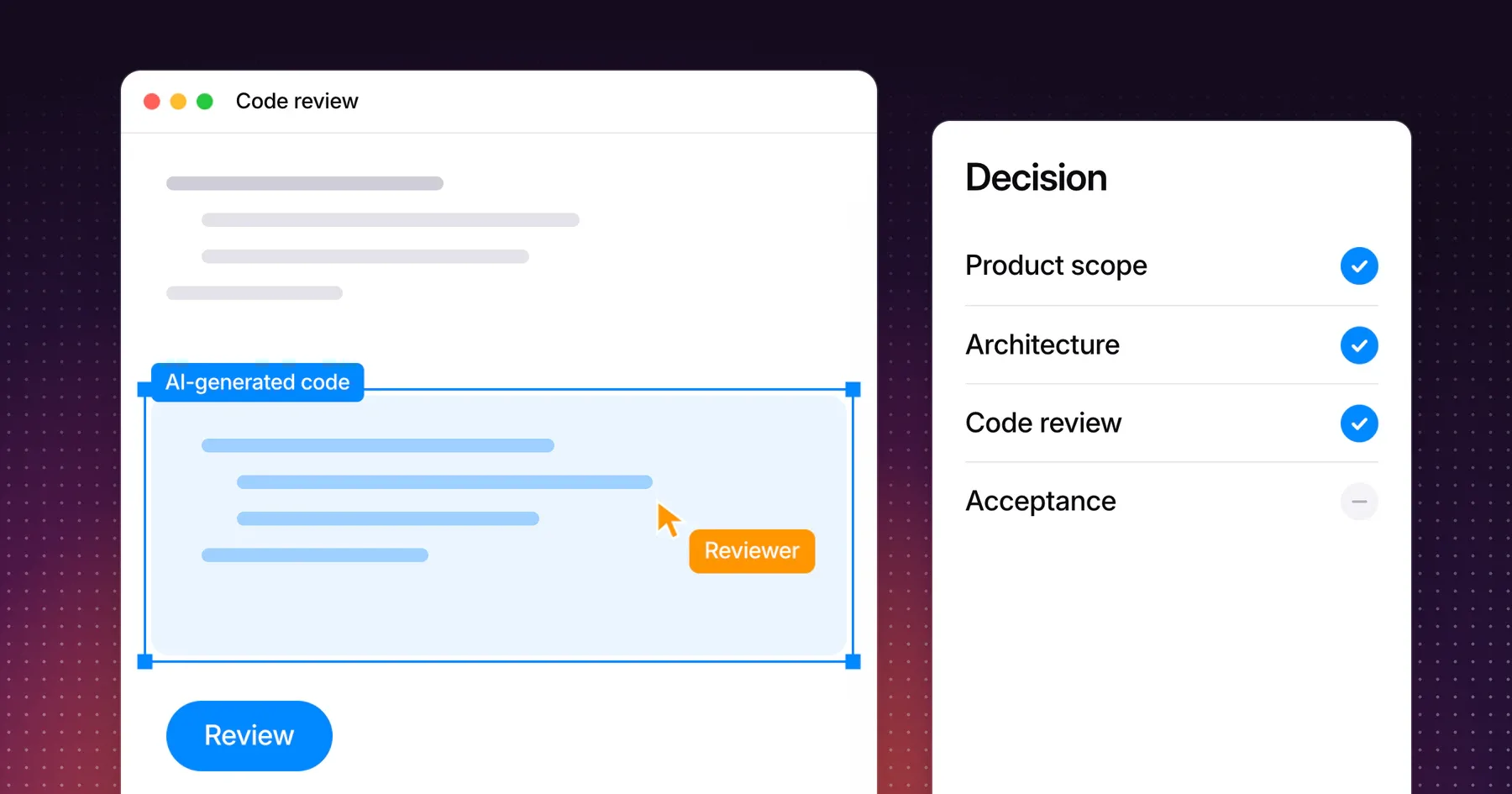
AI-native development describes how software is built: AI tools are part of the team’s workflow. An AI-native product describes what software does: AI performs part of the core task for its users. Before hiring a studio that uses either term, ask which one it means, who makes and approves each decision, and what evidence comes with each delivery.
This guide is for founders and product leads comparing development partners. It separates the two meanings, shows which decisions should stay with named people, lists the evidence to request for each deliverable and ends with questions you can send to any studio. Gestures uses both meanings. AI tools are part of its development workflow, and its AI-native product development work builds products in which AI contributes to the core task, such as Nomicam, the studio’s own AI photo editor.
Separate the development method from product AI features
The development method and the product’s features are independent choices. A studio can use AI tools to build an app with no AI features, and a team that builds an AI product can write much of its code by hand.
| Term | What it describes | Example | What to ask |
|---|---|---|---|
| AI-assisted or AI-native development workflow | AI tools help write, review or test code | A class booking app built with AI coding tools | Which tools, for which tasks, and how is the output reviewed? |
| AI-native product | AI performs part of the core task for users | A photo editor that transforms an image from a template | What does the AI do, what goes in, what comes out, and what happens when it fails? |
| AI feature in a conventional product | One function uses AI and the rest of the product does not | A support assistant inside a project management tool | Does the feature help the user’s task, and who maintains it? |
AI tools are now standard in software teams, and trust in their output is low. In the 2025 Stack Overflow Developer Survey, 84% of respondents use or plan to use AI tools in development, 46% distrust the accuracy of those tools against 33% who trust it, and 66% name “AI solutions that are almost right, but not quite” as their top frustration. For a buyer, that makes the review process more important than the tool list.
Speed claims need evidence from your own project. In METR’s 2025 study of 16 experienced open-source developers, participants expected AI tools to make them 24% faster and took 19% longer to finish real tasks. METR’s 2026 update says the effect is hard to measure reliably. A studio’s scope, milestones and review evidence tell you more than a promise of speed.
Ask who owns design, architecture and acceptance decisions
AI tools generate options, and people own decisions. Every decision below needs a named owner on the studio side, a named approver on your side and a record of what was decided.
| Decision | Who should own it | Question to ask | A clear answer includes |
|---|---|---|---|
| Product scope | Product lead with the client | Who decides what is in the first version? | A written scope and a change process |
| Interface and experience | Designer | Who designs the flows before code is generated? | Reviewed designs for the core journey and its states |
| Architecture and stack | Senior developer | Who chooses the stack and approves structural changes? | A named person and a short architecture note |
| Code review | Developer who did not write the change | How is AI-generated code reviewed before it is merged? | Review on every change, with history in the repository |
| Security and data handling | Developer with the client | Who checks how personal data, keys and access are handled? | A list of data the app stores and where secrets live |
| Model and API choice | Product lead and developer | For an AI feature, who picks the model and approves its cost? | The provider, the account holder and the expected usage |
| Acceptance | Client, against agreed checks | What has to pass before you call the work done? | Written completion checks and who signs them off |
Ask for names, not roles. A studio that cannot say who approved the architecture or reviewed a merged change is telling you that nobody did.
Compare deliverables and review evidence
Each deliverable should arrive with evidence that someone checked it. Request this evidence in the proposal so it becomes part of the scope, not a favor at the end.
| Deliverable | Evidence to request |
|---|---|
| Prototype | A note stating whether AI responses are live or simulated, and what the prototype does not cover |
| Source code | A repository you own, with commit history, review records and setup instructions |
| Working builds | Test builds on agreed devices, through TestFlight, a Google Play test track or a staging link |
| Review scenarios | Results for normal use, unsuitable input, failed requests and another attempt |
| AI feature quality | A set of example inputs and the outputs the team judged acceptable or unacceptable |
| Known limitations | A written list delivered with each milestone |
| Handover | Accounts, API keys, documentation and the owner of each running cost |
The live or simulated question matters most at the prototype stage. A demo with scripted AI responses tests the interaction, while a demo with live responses tests the capability. Both are useful, and a buyer has to know which one they are looking at. To decide which stage you need, compare a prototype, MVP or production app.
For an AI product, the NIST AI Risk Management Framework gives a shared vocabulary for risk. Its four functions are Govern, Map, Measure and Manage, and its Generative AI Profile, released in July 2024, lists risks specific to generative systems. A studio does not need to follow the framework in full, but it should explain how it measures output quality and what the product does when the model gets it wrong.
Choose questions that reveal the actual workflow
Concrete questions reveal the workflow faster than a capabilities deck. Send these questions before the first call, and compare how specifically each studio answers them.
| Question | What a clear answer includes |
|---|---|
| Where do AI tools sit in your workflow? | Named tasks, such as drafting code, writing tests or reviewing changes |
| Who reviews AI-generated code before it is merged? | A named reviewer and a visible review record |
| Does our product need AI features, or only your workflow? | An answer tied to the user’s task, not to the studio’s tools |
| Which AI providers will our product depend on? | Providers, account ownership and what happens if one changes |
| How do you test the failure cases? | Scenarios for bad input, slow responses, failed requests and retries |
| What do we receive at each milestone? | Builds, code, documents and known limitations |
| Who owns the code, accounts and keys? | The client, from the first commit |
| Which costs continue after delivery? | Hosting, model usage and services, with the account holder for each |
| How do you estimate when AI tools speed up some tasks? | An estimate based on scope and milestones, not on a speed claim |
| What happens when the AI output is wrong? | What the user sees, what they can do next and how the team learns about it |
A short, specific answer beats a long, confident one. The best answers name a person, a document or a repository you can check.
Frequently asked questions
What is the difference between AI-native development and an AI-native product?
AI-native development describes the workflow: AI tools help the team build software. An AI-native product describes the result: AI performs part of the core task for users. A studio can do one without the other, so ask which one a proposal means.
Does AI-generated code need human review?
Yes. Every AI-generated change needs review by a developer before it is merged, with the review recorded in the repository. Survey data shows most developers use AI tools and many distrust their accuracy, which is why review is part of the scope.
Is AI-assisted development faster or cheaper?
AI-assisted development speeds up some tasks and slows down others, and controlled studies have not settled the overall effect. Compare proposals by scope, milestones and evidence, and treat a general speed claim as a sales point rather than a plan.
Does my app need AI features?
Your app needs AI features only when AI helps the user complete the core task better than the alternative. The development method does not require it. Decide from the user’s task, then scope any AI feature with its inputs, outputs, waiting states and failure cases.
Who should own the code built with AI tools?
The client should own all delivered code, including AI-assisted code, along with the repository, developer accounts and API keys. Put the ownership and handover terms in the agreement before work starts.
Discuss your product and development scope
Bring your product idea and the proposals you are comparing. Explore how Gestures approaches AI-native product development, and we can go through who owns each decision and what each milestone should deliver.
Working through a decision like this?
Bring your current product or website and we can discuss what needs attention.